
When organizations decide to migrate away from SAS, the next question is: migrate to what? The answer increasingly is Snowflake. Not just as a data warehouse, but as a complete analytics platform that replaces the storage, processing, and governance capabilities that SAS provided -- while adding cloud-native economics, infinite scalability, and an architecture built for the way modern data teams actually work.
This article examines why Snowflake has become the preferred target for SAS migration, how the technical migration path works, and what organizations should expect from the journey.
Why Snowflake Specifically?
The cloud data platform market has no shortage of options. Databricks, Google BigQuery, Amazon Redshift, and Azure Synapse all compete for the same workloads. Snowflake's appeal for SAS migration comes from a specific combination of architectural decisions that align remarkably well with what SAS teams need.
Separation of Storage and Compute
SAS operates on a tightly coupled model: data sits on the SAS server, and processing happens on that same server. When a complex model runs, everyone on the server slows down. When you need more storage, you also buy more compute. When compute is idle, you are still paying for the storage infrastructure.
Snowflake decouples these entirely. Data lives in cheap, virtually unlimited cloud storage. Compute resources -- called virtual warehouses -- spin up independently to process queries and shut down when idle. This means a large analytical model can run on a dedicated X-Large warehouse without affecting the team running daily reports on a separate Small warehouse. You pay for storage by the terabyte per month (pennies) and compute by the second of actual usage.
For SAS teams accustomed to queueing for server resources during month-end close, this is transformative. Instead of one shared SAS server, you have as many independent compute clusters as you need, each sized for its specific workload.
Pay-Per-Use Economics
SAS licensing is a fixed annual cost regardless of usage. An organization pays the same whether its SAS server processes 100 jobs or 10,000 jobs in a given month. Snowflake charges by the credit -- a unit of compute time. A Small warehouse costs 1 credit per hour of active use. When it is suspended (not running queries), it costs nothing.
Cost Comparison: SAS vs. Snowflake for a Mid-Size Analytics Team
| Component | SAS Annual Cost | Snowflake Annual Cost |
|---|---|---|
| Software/platform licensing | $300,000 | $0 (pay-per-query) |
| Compute (equivalent workload) | Included in license | $48,000 - $96,000 |
| Storage (5 TB compressed) | Included in server | $1,200 |
| Server/infrastructure | $80,000 | $0 (fully managed) |
| DBA/admin staff | $60,000 (partial FTE) | $0 (zero administration) |
| Total | $440,000 | $49,200 - $97,200 |
Zero Maintenance
SAS environments require ongoing administration: server patching, capacity planning, backup management, user provisioning, and performance tuning. Snowflake eliminates all of this. There are no servers to manage, no indexes to build, no partitions to define, no vacuum operations to schedule. Snowflake handles storage optimization, query optimization, and infrastructure management automatically.
For organizations where the SAS admin is a single person (often a senior developer who also writes production code), eliminating the administration burden frees up significant capacity for higher-value work.
Secure Data Sharing
One of SAS's longstanding limitations is data sharing. Getting data out of SAS and into the hands of other teams -- BI developers, data engineers, application developers -- requires exporting to CSV, writing to a database, or building custom interfaces. Each export creates a copy that can become stale, uncontrolled, and inconsistent.
Snowflake provides native data sharing that allows teams, departments, and even external organizations to access live data without copying it. A regulatory reporting team can run queries against the same tables the analytics team uses, always seeing current data, without any ETL or synchronization. This eliminates an entire category of data quality problems that SAS shops struggle with.
Semi-Structured Data Support
SAS processes structured, tabular data well. But modern analytics increasingly involves JSON, XML, Avro, Parquet, and other semi-structured formats -- API responses, event logs, IoT sensor data, social media feeds. SAS can handle these formats with additional processing steps, but it was not designed for them.
Snowflake's VARIANT data type natively stores and queries semi-structured data alongside structured tables. A single SQL query can join a traditional customer table with a JSON column of clickstream events. This capability opens up analytical use cases that were impractical in SAS without significant custom development.

SAS to Python migration — automated end-to-end by MigryX
The Migration Path: SAS to Snowflake
Understanding why Snowflake is the right target is the first step. Understanding how to get there is the second. The migration path from SAS to Snowflake involves three parallel workstreams: data migration, code migration, and workflow migration.
Data Migration: SAS Datasets to Snowflake Tables
SAS stores data in proprietary .sas7bdat files. These files need to be converted to a format Snowflake can ingest. The standard approach is:
- Export SAS datasets to Parquet or CSV. Parquet is strongly preferred because it preserves data types, handles null values correctly, and compresses efficiently. SAS can export to Parquet via PROC EXPORT or the SAS/ACCESS engine.
- Stage files in cloud storage. Upload Parquet files to an S3 bucket, Azure Blob container, or GCS bucket that Snowflake can access via an external stage.
- Load into Snowflake tables. Use Snowflake's COPY INTO command to bulk-load the staged files. Snowflake automatically infers schema from Parquet files, making table creation straightforward.
- Validate row counts and checksums. Automated validation compares the number of rows, column data types, and sample values between SAS and Snowflake to confirm data integrity.
For large datasets (hundreds of millions of rows), this process runs in parallel and typically completes in hours, not days. Snowflake's COPY command is designed for high-throughput ingestion and handles the scale that enterprise SAS environments produce.
Code Migration: PROC SQL to Snowflake SQL
A significant portion of SAS analytics code is SQL-based, written as PROC SQL blocks. This code migrates most naturally to Snowflake because Snowflake uses ANSI-standard SQL with extensions. The key translation points include:
- PROC SQL SELECT maps directly to Snowflake SELECT with minor syntax adjustments (SAS-specific functions like
INTCK,INTNX, andPUTneed equivalent Snowflake functions). - PROC SQL CREATE TABLE maps to Snowflake CREATE TABLE with updated data types (
CHARbecomesVARCHAR, SAS numerics becomeNUMBERorFLOAT). - SAS date handling requires translation. SAS stores dates as integer days since January 1, 1960. Snowflake uses standard DATE and TIMESTAMP types. Date arithmetic and formatting functions all need conversion.
- SAS macro variables in SQL can be replaced with Snowflake session variables, Snowpark UDFs, or parameterized stored procedures.
Non-SQL Code: DATA Steps and Procedures
SAS code that is not SQL-based -- DATA steps, statistical procedures, custom macros -- requires a different approach. These typically migrate to one of two targets:
Snowpark (Python in Snowflake). Snowflake's Snowpark framework allows Python code to run directly within the Snowflake engine. Data stays in Snowflake; Python logic executes on Snowflake's compute. This is ideal for data transformation logic that was previously in SAS DATA steps.
External Python. Statistical procedures (PROC LOGISTIC, PROC GLM, PROC MIXED) migrate to Python libraries (scikit-learn, statsmodels) running in Jupyter notebooks, Databricks, or other external compute environments that connect to Snowflake via the Snowflake Python connector.
The best migration strategies use Snowflake SQL for data transformation (replacing PROC SQL and simple DATA steps), Snowpark for complex in-database logic, and external Python for statistical modeling and machine learning. This layered approach leverages each technology's strengths.
MigryX: Purpose-Built for Enterprise SAS Migration
MigryX was designed from the ground up for enterprise SAS migration. Its SAS parser understands every construct — DATA steps, PROC SQL, PROC SORT, PROC MEANS, PROC FREQ, PROC TRANSPOSE, macros, formats, informats, hash objects, arrays, ODS output, and even SAS/STAT procedures like PROC REG and PROC LOGISTIC. This is not a generic code translator — it is the most comprehensive SAS migration platform in the industry.
Workflow Migration: From SAS Batch to Snowflake Tasks
SAS production environments typically run batch jobs on a schedule -- nightly data loads, weekly reports, monthly model refreshes. These workflows need to be replicated in Snowflake.
Snowflake provides native task scheduling that can orchestrate multi-step workflows with dependencies, error handling, and notifications. For more complex orchestration, organizations use external tools like Apache Airflow, dbt, or Prefect that connect to Snowflake and manage the complete pipeline from data ingestion through transformation to output delivery.
The migration from SAS scheduled jobs to modern orchestration tools is an opportunity to improve, not just replicate. SAS batch jobs often run sequentially because of shared server constraints. In Snowflake, independent steps can run in parallel on separate warehouses, reducing end-to-end pipeline runtime by 50% or more.
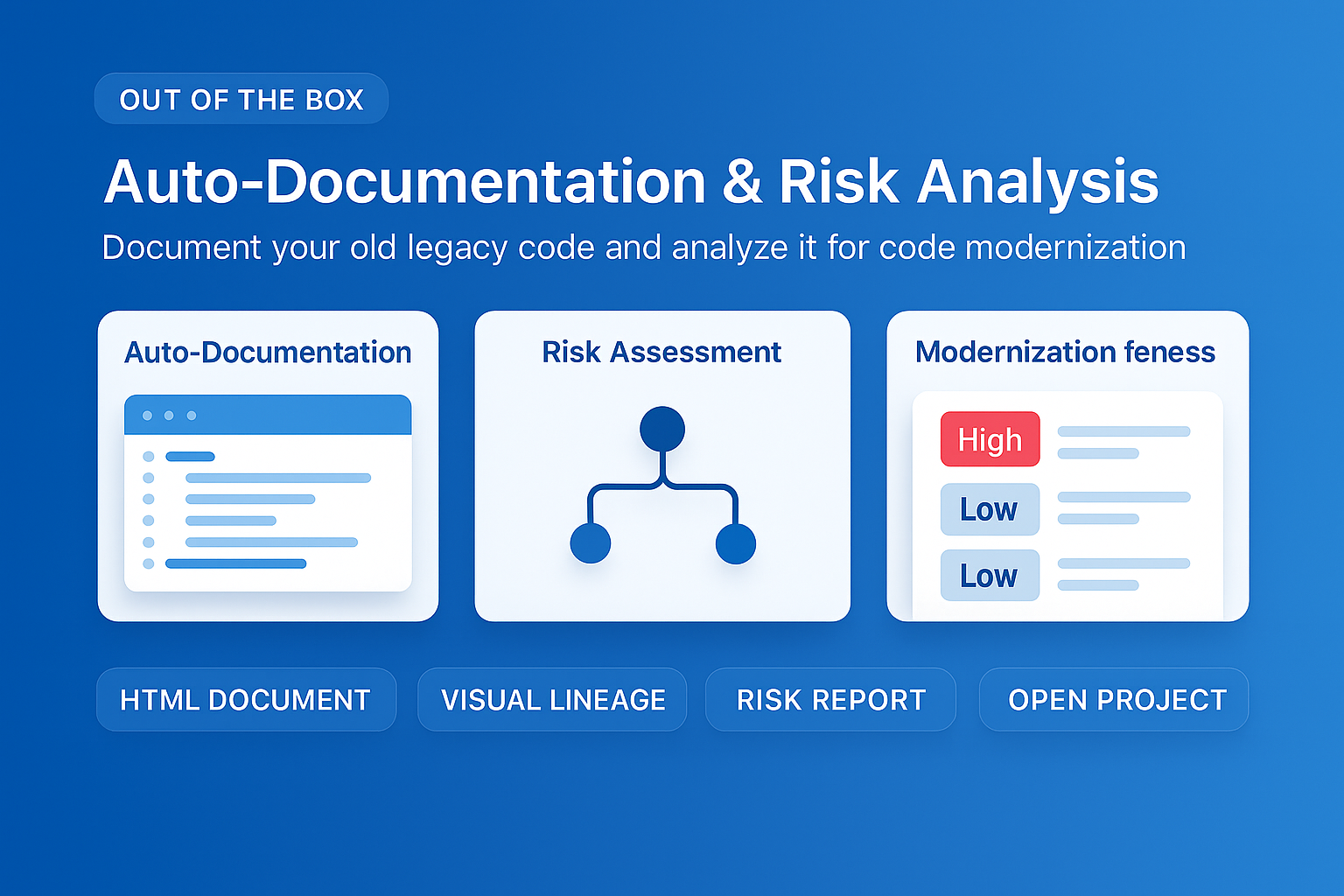
MigryX auto-documentation captures every transformation decision, creating audit-ready migration records automatically
How MigryX Handles the Hard Parts of SAS Migration
Every SAS shop has code that makes migration teams nervous — deeply nested macros that generate dynamic code, DATA step merge logic with complex BY-group processing, hash object lookups, RETAIN statements that carry state across rows, and PROC IML matrix operations. These are exactly the constructs where MigryX excels. Its combination of deterministic AST parsing and Merlin AI means even the most complex SAS patterns are converted accurately.
What to Expect from the Journey
Organizations that have completed SAS-to-Snowflake migrations consistently report several outcomes:
- Faster time to insight. Queries that took minutes on a SAS server complete in seconds on an appropriately sized Snowflake warehouse. Ad-hoc analysis becomes truly interactive.
- Democratized data access. Teams that previously waited for the analytics team to produce SAS-based reports can now query Snowflake directly using BI tools like Tableau, Power BI, or Looker.
- Simplified architecture. The sprawl of SAS servers, staging areas, export files, and custom data pipelines collapses into a single Snowflake account with governed access controls.
- Elastic capacity. Year-end processing, regulatory submissions, and other peak workloads scale automatically instead of requiring emergency server upgrades.
The SAS-to-Snowflake migration is not just a platform change. It is a modernization of the entire data analytics operating model -- from siloed, server-constrained, batch-oriented processing to shared, elastic, near-real-time analytics. For organizations ready to make the leap, the destination is proven and the path is well-mapped.
Why Every SAS Migration Needs MigryX
The challenges described throughout this article are exactly what MigryX was built to solve. Here is how MigryX transforms this process:
- Complete SAS coverage: MigryX handles every SAS construct — DATA steps, PROC SQL, macros, formats, hash objects, arrays, ODS, and 20+ PROCs.
- 4-8x faster than manual: What takes consulting teams months of manual conversion, MigryX accomplishes in weeks with higher accuracy.
- 60-85% cost reduction: Enterprises report dramatic cost savings compared to manual migration approaches.
- Production-ready output: MigryX generates clean, idiomatic Python, PySpark, Snowpark, or SQL — not rough drafts that need extensive rework.
MigryX combines precision AST parsing with Merlin AI to deliver 99% accurate, production-ready migration — turning what used to be a multi-year manual effort into a streamlined, validated process. See it in action.
Ready to modernize your legacy code?
See how MigryX automates migration with precision, speed, and trust.
Schedule a Demo