
If SAS DATA steps and PROCs are the muscle of an enterprise SAS estate, macros are its nervous system. SAS macros generate code dynamically, parameterize repetitive operations, and wire together complex multi-step pipelines. They are also, without exception, the single most challenging component of any SAS migration project.
This article examines why SAS macros are difficult to translate, presents the key strategies for converting them to Python functions, Jinja templates, and parameterized notebooks, and illustrates the complexity that makes automated tooling essential.
Why SAS Macros Are Hard to Migrate
The SAS macro language is a text-substitution preprocessor layered on top of the SAS language itself. This design creates several properties that have no direct equivalent in Python or SQL:
- Code generation at compile time. A SAS macro does not execute logic directly. It generates SAS code as text, which the SAS compiler then processes. This means a single macro can produce fundamentally different programs depending on its parameters.
- Global mutable state. Macro variables exist in a global symbol table by default. Any macro can read or modify any macro variable, creating implicit dependencies that are invisible without tracing execution.
- Recursive and nested expansion. Macros can invoke other macros, and macro variables can contain references to other macro variables, creating chains of expansion that must be fully resolved before the generated code is meaningful.
- Conditional code emission.
%IF / %THEN / %ELSEblocks determine which SAS statements are generated, not which are executed. This distinction matters because the generated code may include completely different PROC steps or DATA steps depending on the condition.
The fundamental challenge is that SAS macros operate at the meta-programming level. Translating them requires understanding not just what the macro does, but what code it generates across all possible parameter combinations.

MigryX — Precision AST parsing + Merlin AI = 99% accurate migration
Strategy 1: Python Functions
The most natural translation for most SAS macros is a Python function that encapsulates the same parameterized logic. Instead of generating code text, the Python function executes DataFrame operations directly.
Before: SAS Macro
%macro summarize_by_group(input_ds, group_var, measure_var, output_ds);
  proc means data=&input_ds noprint nway;
    class &group_var;
    var &measure_var;
    output out=&output_ds(drop=_type_ _freq_)
      mean=avg_&measure_var
      sum=total_&measure_var
      n=count_&measure_var;
  run;
%mend summarize_by_group;

%summarize_by_group(sales.transactions, region, revenue, work.region_summary);
After: Automated Translation
MigryX generates equivalent PySpark functions that preserve the macro's parameterized logic, handling variable scope, default values, and return patterns automatically. The translated function encapsulates the same grouping and aggregation semantics in a testable, type-hinted Python function -- without requiring engineers to manually map PROC MEANS options to PySpark aggregation calls.
Merlin AI: Beyond Pattern Matching
Most migration tools rely on rule-based pattern matching — if they see PROC SORT, they emit ORDER BY. Merlin AI goes deeper. It understands the semantic intent of code: why a particular sort order matters for a downstream merge, why a seemingly redundant WHERE clause is actually a business rule, why a macro parameter has an unusual default. This contextual understanding is what elevates MigryX’s accuracy from 95% (already industry-leading with deterministic AST parsing) to 99%.
Strategy 2: Jinja Templates for SQL Generation
When the target platform is Snowflake and the team prefers SQL-centric development (often via dbt), Jinja templates serve a role remarkably similar to SAS macros. They generate SQL at compile time, with parameterization and conditional logic.
Before: SAS Macro Generating Dynamic SQL
%macro create_monthly_snapshot(schema, table, date_col, snap_date);
  proc sql;
    create table &schema..&table._snapshot as
    select *,
      "&snap_date"d as snapshot_date format=date9.
    from &schema..&table
    where &date_col <= "&snap_date"d;
  quit;
%mend;

%create_monthly_snapshot(analytics, customers, signup_date, 01MAR2026);
After: Automated Translation
MigryX translates SAS macros into idiomatic dbt Jinja models, correctly mapping macro variables to Jinja parameters and conditional code generation to {% if %} blocks. The result integrates cleanly with dbt's compilation pipeline, ref-based dependency tracking, and test framework -- preserving the code-generation paradigm of SAS macros within a modern, version-controlled SQL workflow.
Strategy 3: Parameterized Notebooks (Databricks Widgets)
For teams using Databricks, notebook widgets provide a parameter-passing mechanism that can replace SAS macro variables, particularly for top-level program parameterization.
Before: SAS Program with Macro Variables
%let run_date = %sysfunc(today(), date9.);
%let env = PROD;
%let threshold = 0.05;

data &env..flagged_accounts;
  set &env..accounts;
  where risk_score > &threshold;
  processing_date = "&run_date"d;
run;
After: Automated Translation
MigryX converts SAS macro variable declarations (%LET) into Databricks widget definitions, mapping each variable to the appropriate widget type -- text, dropdown, or combobox -- based on usage analysis. The translated notebook exposes parameters in the Databricks UI for interactive override during development, while seamlessly accepting values when run as part of a Databricks Workflow or job.
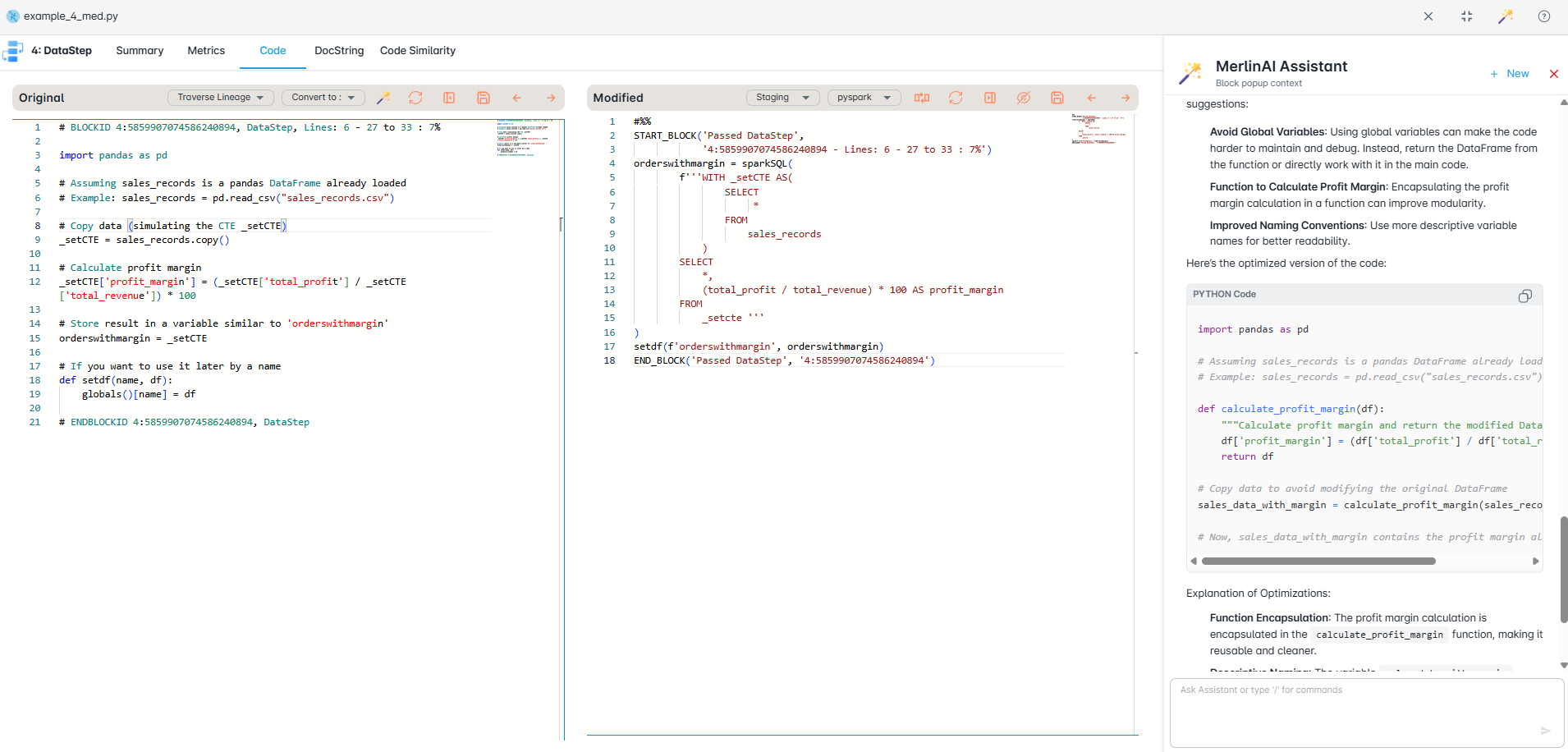
MigryX AI Optimization refactors converted code for peak performance on your target platform
AI That Learns Your Entire Codebase
Merlin AI does not just translate code in isolation. It builds a contextual model of your entire codebase — understanding how programs relate to each other, how macros are used across teams, and how data flows through your enterprise. This holistic understanding means MigryX resolves ambiguities that would stump any tool looking at one program at a time.
Handling Nested Macros
The hardest macro translations involve nesting, where one macro calls another, and the inner macro's behavior depends on variables set by the outer macro. Consider this pattern:
%macro process_all_regions;
%let regions = EAST WEST NORTH SOUTH;
%let i = 1;
%do %while(%scan(®ions, &i) ne );
%let region = %scan(®ions, &i);
%summarize_by_group(sales.transactions_®ion, product, revenue,
work.summary_®ion);
%let i = %eval(&i + 1);
%end;
%mend;
%process_all_regions;
Nested macro loops with %SCAN iteration are among the most complex patterns to translate. The outer macro sets up a global variable list, the inner %DO %WHILE tokenizes it with %SCAN, and each iteration invokes another macro whose behavior depends on state established by the caller. Getting this right requires resolving variable scope chains, iteration boundaries, and cross-macro dependencies simultaneously.
MigryX handles these automatically, preserving the iteration logic while eliminating SAS-specific string manipulation. The translated output uses native looping constructs with explicit parameter passing, producing code that is dramatically simpler to read, test, and maintain.
Macro Variable Scope Resolution
SAS macro variables follow a scope chain: local macro scope, then parent macro scope, then global scope. When translating, map %LOCAL variables to Python function parameters or local variables, and %GLOBAL variables to module-level constants or configuration objects. Never replicate the global mutable state pattern in Python. Instead, pass all dependencies explicitly through function arguments.
Testing Strategies for Translated Macros
SAS macros are notoriously undertested because SAS has no native unit testing framework. Migration is an opportunity to introduce proper testing discipline. Here is a layered testing approach:
1. Unit Tests
Every translated Python function should have companion pytest tests that create small, deterministic input DataFrames and assert output correctness. MigryX generates these companion test suites automatically for every translated function, ensuring behavioral equivalence with the original SAS macro across representative input scenarios.
2. Integration Tests
Run the translated pipeline against a snapshot of production data and compare outputs to the SAS original. Automate this comparison with row-count checks, column-level checksums, and aggregate comparisons.
3. Regression Tests
After the initial migration, maintain a regression test suite that runs on every code change. This catches inadvertent breakage as the team refactors and optimizes the translated code.
Common Macro Patterns and Their Translations
| SAS Macro Construct | Target Equivalent | Complexity |
|---|---|---|
%MACRO / %MEND | Python functions, dbt macros, or notebook cells | Moderate -- requires scope analysis |
%DO / %DO %WHILE | Native loops or recursive CTEs | High -- iteration boundary detection |
%IF / %THEN / %ELSE | Conditional logic or Jinja {% if %} | High -- code emission vs. execution |
%SYSFUNC() | Platform-native function calls | High -- 100+ SAS functions to map |
MigryX handles 40+ SAS macro constructs across PySpark, Snowflake SQL, dbt, and Databricks targets -- including %LET, %GLOBAL/%LOCAL, %SCAN/%SUBSTR, %EVAL, %INCLUDE, and nested macro invocations.
The Path Forward
Macro translation is the component of SAS migration that benefits most from automation. An automated conversion engine can parse macro definitions, resolve variable scopes, expand conditional branches, and generate the corresponding Python functions or Jinja templates. Engineers then review, optimize, and test the output rather than writing it from scratch.
The result is not just a translated codebase but a fundamentally more maintainable one. Python functions have type hints, docstrings, and unit tests. Jinja templates have version control and CI/CD integration. Parameterized notebooks have visible, documented interfaces. In every case, the translated code is more transparent, testable, and collaborative than the SAS macro system it replaces.
Why Merlin AI Makes MigryX Indispensable
The challenges described throughout this article are exactly what MigryX was built to solve. Here is how MigryX transforms this process:
- Semantic understanding: Merlin AI comprehends business logic, implicit transformations, and undocumented rules that rule-based tools miss entirely.
- 99% accuracy: Deterministic AST parsing delivers 95% accuracy; Merlin AI closes the gap to 99% by resolving edge cases and ambiguities.
- Context-aware translation: Every conversion considers the broader codebase context — upstream dependencies, downstream consumers, and cross-program interactions.
- Continuous learning: Merlin AI improves with every migration project, accumulating domain knowledge across industries and technology stacks.
MigryX combines precision AST parsing with Merlin AI to deliver 99% accurate, production-ready migration — turning what used to be a multi-year manual effort into a streamlined, validated process. See it in action.
Ready to modernize your legacy code?
See how MigryX automates migration with precision, speed, and trust.
Schedule a Demo