
Teradata has been the gold standard for enterprise data warehousing for decades. Its massively parallel processing (MPP) architecture, sophisticated query optimizer, and workload management capabilities powered analytical workloads at the world's largest organizations. However, Teradata's proprietary licensing model — based on node capacity and CPU cores — creates escalating costs that become unsustainable as data volumes grow exponentially. The annual license renewal alone can exceed the total cost of running equivalent workloads on a cloud-native platform.
Databricks offers an alternative built on open standards: Apache Spark for distributed compute, Delta Lake for ACID-compliant storage, Unity Catalog for governance, and Databricks SQL for analyst-friendly query interfaces. This guide provides a detailed technical mapping of Teradata-specific constructs — BTEQ scripts, stored procedures, macros, loading utilities, and SQL extensions — to their Databricks equivalents, with code examples that demonstrate the translation patterns at the statement level.
Teradata Architecture vs. Databricks Lakehouse Architecture
Teradata's architecture is a shared-nothing MPP system where data is hash-distributed across AMPs (Access Module Processors) using the Primary Index (PI). Each AMP owns a portion of the data and processes queries locally. The PE (Parsing Engine) parses SQL, generates execution plans, and dispatches work to AMPs. BYNET provides the interconnect for data redistribution during joins and aggregations.
Databricks separates storage (Delta Lake on cloud object storage) from compute (Spark clusters). Data is organized in Parquet files with Delta Lake transaction logs providing ACID semantics. Compute clusters scale elastically, and multiple workloads can share the same data without contention. There is no equivalent of Teradata's PI-based hash distribution — instead, Delta Lake uses partitioning, Z-ORDER optimization, and liquid clustering for data layout optimization.
| Teradata Concept | Databricks Equivalent | Notes |
|---|---|---|
| BTEQ Script | Databricks SQL notebook / PySpark notebook | Interactive or batch execution with control flow |
| Stored Procedure (SPL) | PySpark function / Databricks SQL procedure | Procedural logic with exception handling |
| Macro | Databricks SQL procedure / parameterized view | Reusable SQL with parameters |
| FastLoad | Auto Loader / COPY INTO | Bulk ingestion from files to tables |
| MultiLoad | Delta Lake MERGE | Upsert/delete operations on existing tables |
| TPT (Teradata Parallel Transporter) | Auto Loader + Spark ingestion | Parallel data movement with transformation |
| Primary Index (PI) | Delta Lake partitioning + Z-ORDER | Data distribution and access optimization |
| Partitioned Primary Index (PPI) | Delta Lake partitioning | Partition elimination for date-range queries |
| COLLECT STATISTICS | ANALYZE TABLE / OPTIMIZE | Statistics collection and file compaction |
| QUALIFY | Spark SQL QUALIFY / subquery pattern | Filter on window function results |
| SET Table | Delta Lake with DISTINCT / dropDuplicates | Duplicate prevention at write time |
| MULTISET Table | Delta Lake table (default) | Duplicates allowed by default |
| Teradata UDF (C/Java) | PySpark UDF / Pandas UDF | User-defined functions with Spark distribution |
| Teradata Viewpoint / scheduling | Databricks Workflows | Job scheduling with monitoring dashboards |

Teradata to Databricks migration — automated end-to-end by MigryX
BTEQ Scripts to Databricks Notebooks
BTEQ (Basic Teradata Query) is the command-line interface for Teradata, supporting SQL execution with control flow directives (.IF, .GOTO, .QUIT), error handling (.SET ERRORLEVEL), and export commands (.EXPORT). BTEQ scripts are the backbone of most Teradata batch processing environments. Migrating them requires translating both the SQL content and the procedural control flow.
BTEQ with Conditional Logic
-- Teradata BTEQ script with .IF error handling
.LOGON tdserver/etl_user,password;

.SET ERRORLEVEL 3807 SEVERITY 0;  /* Ignore "table does not exist" */

DATABASE etl_staging;

-- Drop and recreate staging table
DROP TABLE stg_daily_orders;
.IF ERRORCODE <> 0 THEN .GOTO LOAD_STEP;

.LABEL LOAD_STEP;
CREATE MULTISET TABLE stg_daily_orders AS (
    SELECT
        order_id,
        customer_id,
        order_date,
        CAST(amount AS DECIMAL(18,2)) AS order_amount,
        QUALIFY ROW_NUMBER() OVER (PARTITION BY order_id ORDER BY load_ts DESC) = 1
    FROM landing.raw_orders
    WHERE order_date = DATE - 1
) WITH DATA PRIMARY INDEX (order_id);

.IF ACTIVITYCOUNT = 0 THEN .GOTO NO_DATA;

-- Insert into target
INSERT INTO warehouse.fact_orders
SELECT * FROM stg_daily_orders;

.IF ERRORCODE <> 0 THEN .GOTO ERROR_EXIT;

.QUIT 0;

.LABEL NO_DATA;
.QUIT 4;  /* Exit code 4 = no data */

.LABEL ERROR_EXIT;
.QUIT 8;  /* Exit code 8 = error */

.LOGOFF;
# Databricks notebook equivalent
# Cell 1: Configuration
from pyspark.sql import functions as F
from pyspark.sql.window import Window
from datetime import date, timedelta

processing_date = date.today() - timedelta(days=1)
print(f"Processing date: {processing_date}")

# Cell 2: Stage daily orders with deduplication (replaces QUALIFY)
try:
    # Drop staging table if exists (equivalent to .SET ERRORLEVEL 3807)
    spark.sql("DROP TABLE IF EXISTS etl_staging.stg_daily_orders")

    # Create staging table with deduplication
    window_spec = Window.partitionBy("order_id").orderBy(F.col("load_ts").desc())

    df_staged = (spark.table("landing.raw_orders")
        .filter(F.col("order_date") == F.lit(processing_date))
        .withColumn("_rn", F.row_number().over(window_spec))
        .filter(F.col("_rn") == 1)
        .drop("_rn")
        .select(
            "order_id",
            "customer_id",
            "order_date",
            F.col("amount").cast("decimal(18,2)").alias("order_amount")
        )
    )

    record_count = df_staged.count()
    print(f"Staged {record_count} records")

    if record_count == 0:
        dbutils.notebook.exit("NO_DATA")

    # Write to staging
    df_staged.write.format("delta").mode("overwrite").saveAsTable("etl_staging.stg_daily_orders")

except Exception as e:
    print(f"Error in staging: {str(e)}")
    dbutils.notebook.exit(f"ERROR: {str(e)}")

# Cell 3: Insert into target fact table
try:
    staged = spark.table("etl_staging.stg_daily_orders")
    staged.write.format("delta").mode("append").saveAsTable("warehouse.fact_orders")
    dbutils.notebook.exit("SUCCESS")
except Exception as e:
    print(f"Error in load: {str(e)}")
    dbutils.notebook.exit(f"ERROR: {str(e)}")
BTEQ's.IF ERRORCODEand.GOTOconstructs map to Python try/except blocks in Databricks notebooks. The.SET ERRORLEVELdirective that suppresses specific Teradata error codes translates toIF EXISTSclauses or explicit error handling. BTEQ'sACTIVITYCOUNTbecomes a DataFramecount()check.
MigryX: Purpose-Built Parsers for Every Legacy Technology
MigryX does not rely on generic text matching or regex-based parsing. For every supported legacy technology, MigryX has built a dedicated Abstract Syntax Tree (AST) parser that understands the full grammar and semantics of that platform. This means MigryX captures not just what the code does, but why — understanding implicit behaviors, default settings, and platform-specific quirks that generic tools miss entirely.
Teradata Stored Procedures to PySpark and Databricks SQL
Teradata stored procedures use SPL (Stored Procedure Language), which provides cursors, loops, conditional logic, exception handling, and dynamic SQL. Databricks SQL now supports stored procedures with similar constructs, and PySpark provides an alternative for complex procedural logic.
-- Teradata stored procedure: Monthly partition maintenance
REPLACE PROCEDURE etl_admin.maintain_partitions(
    IN p_table_name VARCHAR(128),
    IN p_retention_months INTEGER
)
BEGIN
    DECLARE v_cutoff_date DATE;
    DECLARE v_sql VARCHAR(1000);
    DECLARE v_count INTEGER;

    SET v_cutoff_date = ADD_MONTHS(CURRENT_DATE, -p_retention_months);

    -- Check for old partitions
    SELECT COUNT(*) INTO v_count
    FROM dbc.TableSizeV
    WHERE DatabaseName = 'warehouse'
      AND TableName = p_table_name;

    IF v_count > 0 THEN
        SET v_sql = 'DELETE FROM warehouse.' || p_table_name ||
                    ' WHERE partition_date < DATE ''' ||
                    CAST(v_cutoff_date AS VARCHAR(10)) || '''';
        EXECUTE IMMEDIATE v_sql;
    END IF;

    -- Collect statistics after maintenance
    SET v_sql = 'COLLECT STATISTICS ON warehouse.' || p_table_name || ' COLUMN partition_date';
    EXECUTE IMMEDIATE v_sql;
END;
# Databricks PySpark equivalent
from dateutil.relativedelta import relativedelta
from datetime import date

def maintain_partitions(table_name: str, retention_months: int):
    """Monthly partition maintenance - replaces Teradata stored procedure."""
    cutoff_date = date.today() - relativedelta(months=retention_months)
    full_table = f"warehouse.{table_name}"

    # Check table exists
    if not spark.catalog.tableExists(full_table):
        print(f"Table {full_table} does not exist, skipping.")
        return

    # Delete old partitions using Delta Lake
    spark.sql(f"""
        DELETE FROM {full_table}
        WHERE partition_date < '{cutoff_date}'
    """)

    # Optimize table after deletions (replaces COLLECT STATISTICS)
    spark.sql(f"OPTIMIZE {full_table} ZORDER BY (partition_date)")

    # Analyze table for statistics
    spark.sql(f"ANALYZE TABLE {full_table} COMPUTE STATISTICS FOR ALL COLUMNS")

    print(f"Partition maintenance completed for {full_table}, cutoff: {cutoff_date}")

# Execute
maintain_partitions("fact_orders", 24)
QUALIFY to Spark SQL Window Functions
Teradata's QUALIFY clause is one of its most distinctive SQL extensions. It filters rows based on window function results without requiring a subquery or CTE. Databricks Spark SQL supports QUALIFY natively starting from Databricks Runtime 12.0+, making this a direct translation. For older runtimes, a CTE or subquery pattern is required.
-- Teradata: Get latest record per customer using QUALIFY
SELECT
    customer_id,
    customer_name,
    email,
    phone,
    updated_at
FROM staging.customer_feed
QUALIFY ROW_NUMBER() OVER (
    PARTITION BY customer_id
    ORDER BY updated_at DESC
) = 1;
-- Databricks SQL equivalent (native QUALIFY support)
SELECT
    customer_id,
    customer_name,
    email,
    phone,
    updated_at
FROM staging.customer_feed
QUALIFY ROW_NUMBER() OVER (
    PARTITION BY customer_id
    ORDER BY updated_at DESC
) = 1;

-- Alternative using CTE (for older runtimes without QUALIFY)
WITH ranked AS (
    SELECT
        customer_id,
        customer_name,
        email,
        phone,
        updated_at,
        ROW_NUMBER() OVER (PARTITION BY customer_id ORDER BY updated_at DESC) AS rn
    FROM staging.customer_feed
)
SELECT customer_id, customer_name, email, phone, updated_at
FROM ranked
WHERE rn = 1;
Teradata MERGE with QUALIFY to Delta Lake MERGE
A common Teradata pattern combines MERGE with QUALIFY for deduplication during upsert operations. This pattern is critical for SCD Type 1 and incremental loading. Delta Lake MERGE provides equivalent atomic upsert capability with additional benefits like automatic conflict resolution and time travel.
-- Teradata: MERGE with pre-deduplicated source using QUALIFY
MERGE INTO warehouse.dim_product AS tgt
USING (
    SELECT
        product_id,
        product_name,
        category,
        price,
        effective_date
    FROM staging.product_feed
    QUALIFY ROW_NUMBER() OVER (
        PARTITION BY product_id
        ORDER BY effective_date DESC
    ) = 1
) AS src
ON tgt.product_id = src.product_id
WHEN MATCHED AND (
    tgt.product_name <> src.product_name OR
    tgt.category <> src.category OR
    tgt.price <> src.price
) THEN UPDATE SET
    product_name = src.product_name,
    category = src.category,
    price = src.price,
    effective_date = src.effective_date,
    updated_at = CURRENT_TIMESTAMP
WHEN NOT MATCHED THEN INSERT (
    product_id, product_name, category, price, effective_date, updated_at
) VALUES (
    src.product_id, src.product_name, src.category, src.price,
    src.effective_date, CURRENT_TIMESTAMP
);
-- Databricks Delta Lake MERGE equivalent
MERGE INTO warehouse.dim_product AS tgt
USING (
    SELECT
        product_id,
        product_name,
        category,
        price,
        effective_date
    FROM staging.product_feed
    QUALIFY ROW_NUMBER() OVER (
        PARTITION BY product_id
        ORDER BY effective_date DESC
    ) = 1
) AS src
ON tgt.product_id = src.product_id
WHEN MATCHED AND (
    tgt.product_name != src.product_name OR
    tgt.category != src.category OR
    tgt.price != src.price
) THEN UPDATE SET
    tgt.product_name = src.product_name,
    tgt.category = src.category,
    tgt.price = src.price,
    tgt.effective_date = src.effective_date,
    tgt.updated_at = current_timestamp()
WHEN NOT MATCHED THEN INSERT (
    product_id, product_name, category, price, effective_date, updated_at
) VALUES (
    src.product_id, src.product_name, src.category, src.price,
    src.effective_date, current_timestamp()
);
The Teradata MERGE-with-QUALIFY pattern translates almost directly to Databricks SQL because Delta Lake supports both MERGE and QUALIFY natively. The key difference is that Delta Lake MERGE is ACID-compliant with automatic conflict resolution, and the target table retains full version history for time travel queries.
FastLoad, MultiLoad, and TPT to Auto Loader and COPY INTO
Teradata provides specialized bulk loading utilities optimized for different scenarios. FastLoad handles initial bulk loads of empty tables. MultiLoad supports upserts and deletes on populated tables. TPT (Teradata Parallel Transporter) is the modern unified framework. In Databricks, Auto Loader and COPY INTO replace these utilities with schema-aware, incremental file processing.
| Teradata Utility | Databricks Equivalent | Use Case |
|---|---|---|
| FastLoad | COPY INTO / Auto Loader (batch) | Initial bulk load from flat files |
| MultiLoad | Delta Lake MERGE | Upsert/delete on existing tables |
| TPT Export | DataFrame write to cloud storage | Export data to files |
| TPT Load | Auto Loader (streaming) | Continuous incremental ingestion |
| TPT Update | Delta Lake MERGE with source files | Apply changes from files to tables |
| BTEQ .EXPORT | DataFrame write / dbutils.fs | Ad-hoc data export |
# Teradata FastLoad equivalent: Bulk load from CSV files
# Using Auto Loader for schema inference and incremental processing

df_raw = (spark.readStream
    .format("cloudFiles")
    .option("cloudFiles.format", "csv")
    .option("cloudFiles.schemaLocation", "/mnt/checkpoints/transactions_schema")
    .option("cloudFiles.inferColumnTypes", "true")
    .option("header", "true")
    .option("delimiter", "|")
    .load("/mnt/landing/teradata_export/transactions/")
)

# Add audit metadata
from pyspark.sql.functions import input_file_name, current_timestamp

df_bronze = (df_raw
    .withColumn("_source_file", input_file_name())
    .withColumn("_load_timestamp", current_timestamp())
)

# Write as Delta table (equivalent to FastLoad into empty table)
(df_bronze.writeStream
    .format("delta")
    .option("checkpointLocation", "/mnt/checkpoints/transactions_bronze")
    .trigger(availableNow=True)
    .toTable("bronze.transactions")
)
Primary Index and PPI to Delta Lake Data Layout
Teradata's Primary Index (PI) determines data distribution across AMPs. The PI choice is critical for join performance and data skew avoidance. Partitioned Primary Index (PPI) enables partition elimination for range queries. Delta Lake does not use hash-based distribution but provides equivalent query performance optimization through partitioning, Z-ORDER, and liquid clustering.
| Teradata Optimization | Delta Lake Equivalent | Purpose |
|---|---|---|
| Primary Index (UPI/NUPI) | Z-ORDER BY | Optimize point lookups and equality joins |
| Partitioned Primary Index (PPI) | PARTITIONED BY | Partition elimination for range scans |
| Secondary Index | Z-ORDER on additional columns / Bloom filters | Optimize non-primary access paths |
| COLLECT STATISTICS | ANALYZE TABLE COMPUTE STATISTICS | Query optimizer statistics |
| No Primary Index (NoPI) | Default Delta table (no partitioning) | Staging tables with no specific access pattern |
| Column-Partitioned tables | Parquet columnar format (inherent) | Column pruning for analytical queries |
-- Teradata: Table with PPI on order_date and UPI on order_id
CREATE MULTISET TABLE warehouse.fact_orders (
    order_id BIGINT NOT NULL,
    customer_id BIGINT,
    order_date DATE FORMAT 'YYYY-MM-DD',
    amount DECIMAL(18,2),
    region VARCHAR(50)
)
PRIMARY INDEX (order_id)
PARTITION BY RANGE_N(order_date BETWEEN DATE '2020-01-01'
    AND DATE '2030-12-31' EACH INTERVAL '1' MONTH);

COLLECT STATISTICS ON warehouse.fact_orders COLUMN order_id;
COLLECT STATISTICS ON warehouse.fact_orders COLUMN order_date;
COLLECT STATISTICS ON warehouse.fact_orders COLUMN (region, order_date);
-- Databricks Delta Lake equivalent
CREATE TABLE IF NOT EXISTS warehouse.fact_orders (
    order_id BIGINT NOT NULL,
    customer_id BIGINT,
    order_date DATE,
    amount DECIMAL(18,2),
    region STRING
)
USING DELTA
PARTITIONED BY (order_date)
TBLPROPERTIES ('delta.autoOptimize.optimizeWrite' = 'true');

-- Optimize data layout (replaces PI distribution and COLLECT STATISTICS)
OPTIMIZE warehouse.fact_orders
ZORDER BY (order_id, region);

-- Compute statistics for query optimizer
ANALYZE TABLE warehouse.fact_orders COMPUTE STATISTICS FOR ALL COLUMNS;
SET Tables and Deduplication Patterns
Teradata SET tables reject duplicate rows at insert time, a feature not available in most other databases. MULTISET tables allow duplicates (standard behavior). Delta Lake tables are MULTISET by default. To replicate SET table behavior, deduplication must be applied explicitly during writes.
# Teradata SET table equivalent: Deduplicate before writing
df_incoming = spark.table("staging.customer_updates")

# Deduplicate within the incoming batch (SET table behavior)
df_deduped = df_incoming.dropDuplicates()

# For more control, deduplicate on specific columns
df_deduped_keys = df_incoming.dropDuplicates(["customer_id", "effective_date"])

# MERGE pattern for ongoing deduplication against existing data
spark.sql("""
    MERGE INTO silver.customers AS tgt
    USING (
        SELECT * FROM staging.customer_updates
        QUALIFY ROW_NUMBER() OVER (
            PARTITION BY customer_id ORDER BY updated_at DESC
        ) = 1
    ) AS src
    ON tgt.customer_id = src.customer_id
    WHEN MATCHED THEN UPDATE SET *
    WHEN NOT MATCHED THEN INSERT *
""")
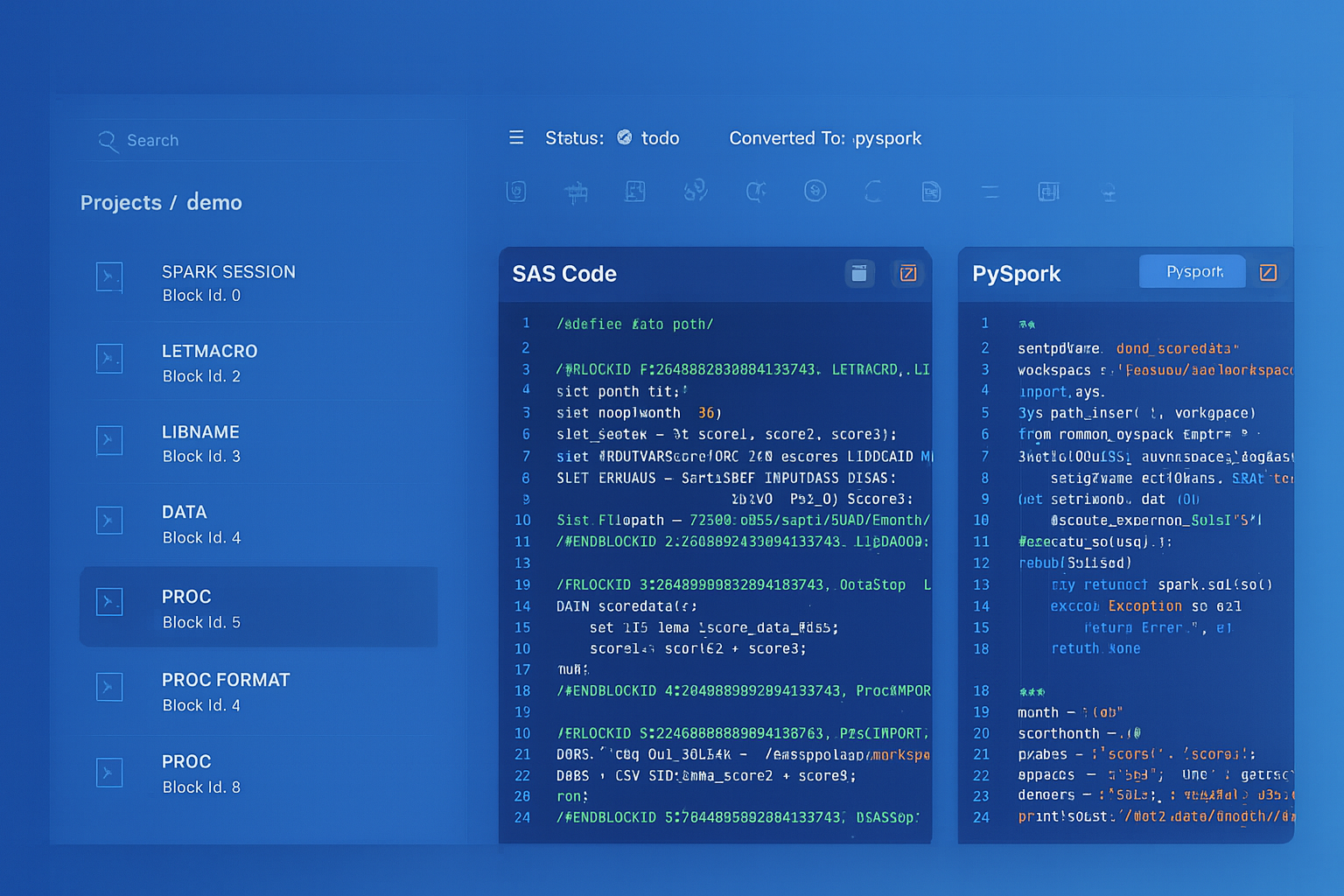
From parsed legacy code to production-ready modern equivalents — MigryX automates the entire conversion pipeline
From Legacy Complexity to Modern Clarity with MigryX
Legacy ETL platforms encode business logic in visual workflows, proprietary XML formats, and platform-specific constructs that are opaque to standard analysis tools. MigryX’s deep parsers crack open these proprietary formats and extract the underlying data transformations, business rules, and data flows. The result is complete transparency into what your legacy code actually does — often revealing undocumented logic that even the original developers had forgotten.
Teradata Macros to Databricks SQL Procedures
Teradata macros are stored SQL templates that accept parameters and can contain multiple SQL statements executed as a single request. They are simpler than stored procedures, with no cursor or loop support. Databricks SQL procedures provide equivalent parameterized SQL execution.
-- Teradata macro
REPLACE MACRO etl_admin.refresh_daily_summary(p_date DATE) AS (
    DELETE FROM warehouse.daily_summary WHERE summary_date = :p_date;

    INSERT INTO warehouse.daily_summary
    SELECT
        :p_date AS summary_date,
        region,
        COUNT(*) AS order_count,
        SUM(amount) AS total_amount,
        AVG(amount) AS avg_amount
    FROM warehouse.fact_orders
    WHERE order_date = :p_date
    GROUP BY region;
);
-- Databricks SQL procedure equivalent
CREATE OR REPLACE PROCEDURE etl_admin.refresh_daily_summary(p_date DATE)
LANGUAGE SQL
AS
BEGIN
    DELETE FROM warehouse.daily_summary WHERE summary_date = p_date;

    INSERT INTO warehouse.daily_summary
    SELECT
        p_date AS summary_date,
        region,
        COUNT(*) AS order_count,
        SUM(amount) AS total_amount,
        AVG(amount) AS avg_amount
    FROM warehouse.fact_orders
    WHERE order_date = p_date
    GROUP BY region;
END;

-- Execute the procedure
CALL etl_admin.refresh_daily_summary('2026-04-07');
Teradata UDFs to PySpark UDFs
Teradata supports user-defined functions written in C or Java that run inside the database engine on each AMP. In Databricks, PySpark UDFs and Pandas UDFs provide equivalent extensibility with the added benefit of Python ecosystem access and vectorized execution for Pandas UDFs.
# Teradata C UDF equivalent: Custom fiscal quarter calculation
from pyspark.sql.functions import udf, pandas_udf
from pyspark.sql.types import StringType
import pandas as pd

# Standard PySpark UDF (row-at-a-time)
@udf(returnType=StringType())
def fiscal_quarter(order_date):
    """Convert calendar date to fiscal quarter (FY starts in July)."""
    if order_date is None:
        return None
    month = order_date.month
    year = order_date.year
    if month >= 7:
        fy = year + 1
        fq = (month - 7) // 3 + 1
    else:
        fy = year
        fq = (month + 5) // 3 + 1
    return f"FY{fy}Q{fq}"

# Pandas UDF (vectorized, much faster for large datasets)
@pandas_udf(StringType())
def fiscal_quarter_vectorized(dates: pd.Series) -> pd.Series:
    months = dates.dt.month
    years = dates.dt.year
    fy = years.where(months < 7, years + 1)
    fq = ((months - 7) % 12 // 3 + 1).clip(1, 4)
    return "FY" + fy.astype(str) + "Q" + fq.astype(str)

# Apply UDF to DataFrame
df = spark.table("warehouse.fact_orders")
df_with_fq = df.withColumn("fiscal_quarter", fiscal_quarter_vectorized(F.col("order_date")))
df_with_fq.write.format("delta").mode("overwrite").saveAsTable("gold.fact_orders_enriched")
Teradata Scheduling to Databricks Workflows
Teradata environments typically use external schedulers (Control-M, AutoSys, cron) or Teradata Viewpoint for job scheduling. Databricks Workflows provide native orchestration with CRON-based scheduling, event-driven triggers, task dependencies, retry policies, and integrated monitoring.
# Databricks Workflow definition: Daily ETL pipeline (replaces Teradata job chain)
{
  "name": "teradata_migration_daily_pipeline",
  "tasks": [
    {
      "task_key": "ingest_landing",
      "notebook_task": {
        "notebook_path": "/pipelines/ingest_landing_files",
        "base_parameters": {
          "source_path": "/mnt/landing/teradata_export/",
          "target_schema": "bronze"
        }
      },
      "cluster_id": "etl-cluster-01",
      "max_retries": 2,
      "timeout_seconds": 3600
    },
    {
      "task_key": "transform_silver",
      "depends_on": [{"task_key": "ingest_landing"}],
      "notebook_task": {
        "notebook_path": "/pipelines/transform_to_silver",
        "base_parameters": {"processing_date": "{{start_date}}"}
      },
      "run_if": "ALL_SUCCESS"
    },
    {
      "task_key": "build_dimensions",
      "depends_on": [{"task_key": "transform_silver"}],
      "notebook_task": {"notebook_path": "/pipelines/build_dimensions"}
    },
    {
      "task_key": "build_facts",
      "depends_on": [{"task_key": "transform_silver"}],
      "notebook_task": {"notebook_path": "/pipelines/build_fact_tables"}
    },
    {
      "task_key": "build_gold_aggregates",
      "depends_on": [
        {"task_key": "build_dimensions"},
        {"task_key": "build_facts"}
      ],
      "notebook_task": {"notebook_path": "/pipelines/build_gold_aggregates"}
    },
    {
      "task_key": "optimize_tables",
      "depends_on": [{"task_key": "build_gold_aggregates"}],
      "notebook_task": {"notebook_path": "/pipelines/optimize_delta_tables"}
    }
  ],
  "schedule": {
    "quartz_cron_expression": "0 0 5 * * ?",
    "timezone_id": "America/New_York"
  },
  "email_notifications": {
    "on_failure": ["data-engineering@company.com"]
  }
}
Unity Catalog: Replacing Teradata Database Governance
Teradata provides database-level access control with GRANT/REVOKE on databases, tables, views, and columns. Unity Catalog extends this with a three-level namespace (catalog.schema.table), automated column-level lineage, data classification tags, and centralized governance across multiple Databricks workspaces.
| Teradata Governance | Unity Catalog Equivalent | Enhancement |
|---|---|---|
| DATABASE (namespace) | Catalog + Schema (two-level namespace) | Federated catalogs across workspaces |
| GRANT SELECT ON table | GRANT SELECT ON TABLE | Row-level and column-level security |
| VIEW with security | Dynamic views with current_user() | Row-level filtering based on user identity |
| DBC system views | INFORMATION_SCHEMA / system.access | Audit logs with query history |
| Manual lineage documentation | Automated column-level lineage | Tracked automatically across notebooks and SQL |
| Teradata Data Dictionary | Unity Catalog search + tags | Full-text search with custom metadata tags |
Spark Structured Streaming: Beyond Teradata Batch Processing
Teradata is fundamentally a batch-oriented system. Near-real-time processing requires frequent micro-batch loads using MultiLoad or TPT. Databricks extends the data platform with Spark Structured Streaming for true real-time data processing, enabling use cases that were impractical on Teradata.
# Real-time event processing (not possible in Teradata)
from pyspark.sql.functions import from_json, col, window
from pyspark.sql.types import StructType, StructField, StringType, DoubleType, TimestampType

event_schema = StructType([
    StructField("event_id", StringType()),
    StructField("customer_id", StringType()),
    StructField("event_type", StringType()),
    StructField("amount", DoubleType()),
    StructField("event_time", TimestampType())
])

# Read from Kafka (or Event Hub / Kinesis)
events = (spark.readStream
    .format("kafka")
    .option("kafka.bootstrap.servers", "broker:9092")
    .option("subscribe", "transaction_events")
    .load()
    .select(from_json(col("value").cast("string"), event_schema).alias("data"))
    .select("data.*")
)

# Windowed aggregation: 5-minute tumbling windows
windowed_summary = (events
    .withWatermark("event_time", "10 minutes")
    .groupBy(
        window("event_time", "5 minutes"),
        "customer_id"
    ).agg(
        F.count("event_id").alias("event_count"),
        F.sum("amount").alias("total_amount")
    )
)

# Write to Delta Lake gold table
(windowed_summary.writeStream
    .format("delta")
    .outputMode("append")
    .option("checkpointLocation", "/mnt/checkpoints/event_summary")
    .toTable("gold.realtime_customer_summary")
)
How MigryX Automates Teradata-to-Databricks Migration
MigryX uses AST-based deterministic parsing to analyze Teradata BTEQ scripts, stored procedures, macros, and DDL, building a complete abstract syntax tree of each SQL statement and control flow construct. Unlike regex-based tools that break on complex nested queries, or AI-only approaches that hallucinate syntax, MigryX's parser achieves +95% accuracy by understanding the full grammar of Teradata SQL including extensions like QUALIFY, NORMALIZE, EXPAND ON, and TD_ANYTYPE functions.
MigryX Teradata Migration Workflow
- Automated Inventory — MigryX scans BTEQ scripts, stored procedures, macros, views, and DDL across the entire Teradata environment. Column-level lineage is traced from source through every transformation to target.
- AST-Based SQL Translation — Teradata SQL is parsed into an abstract syntax tree and deterministically translated to Spark SQL or Databricks SQL. Teradata-specific functions (ZEROIFNULL, NULLIFZERO, QUALIFY, CASESPECIFIC) are mapped to standard SQL or Spark equivalents.
- BTEQ Control Flow Conversion — BTEQ directives (.IF, .GOTO, .LABEL, .SET, .EXPORT) are translated to Python control flow in Databricks notebooks, preserving the error handling and conditional execution semantics.
- STTM Documentation — Source-to-Target Mapping documents capture every column mapping, transformation rule, data type conversion, and business logic translation for audit and regulatory compliance.
- Multi-Target Output — MigryX generates Spark SQL, Databricks SQL, or PySpark — teams choose the target format that matches their skills and coding standards.
- Merlin AI — MigryX's Merlin AI handles edge cases including complex BTEQ macros with nested .IF blocks, recursive stored procedures, and Teradata-specific analytical functions that require contextual translation.
Key Takeaways
- Teradata BTEQ scripts translate to Databricks notebooks with Python control flow replacing .IF/.GOTO directives and try/except replacing .SET ERRORLEVEL error handling.
- Teradata QUALIFY is supported natively in Databricks SQL (Runtime 12.0+), making window-function-based deduplication patterns a direct 1:1 translation.
- FastLoad and MultiLoad are replaced by Auto Loader (continuous ingestion) and Delta Lake MERGE (atomic upserts) respectively, with TPT mapping to a combination of both.
- Primary Index data distribution is replaced by Delta Lake partitioning and Z-ORDER optimization. PPI partition elimination maps directly to Delta Lake partition pruning.
- SET table deduplication behavior requires explicit dropDuplicates() or MERGE-based deduplication patterns in Delta Lake, as tables allow duplicates by default.
- Unity Catalog provides governance capabilities that exceed Teradata's database-level access control, adding automated column-level lineage, data classification, and cross-workspace catalog federation.
- MigryX automates the conversion with AST-based deterministic parsing at +95% accuracy, supporting BTEQ, stored procedures, macros, and all Teradata SQL extensions including QUALIFY, NORMALIZE, and TD_ANYTYPE. On-premise deployment ensures no Teradata metadata leaves your security perimeter.
Migrating from Teradata to Databricks is a shift from a proprietary MPP appliance to an open, elastic lakehouse platform. The SQL semantics are largely preserved — Databricks SQL supports QUALIFY, MERGE, window functions, and common table expressions that Teradata users rely on daily. The major gains come from elastic compute that scales to zero when idle, Delta Lake's ACID transactions with time travel, Unity Catalog's automated lineage, and the ability to extend the platform into real-time streaming and machine learning — capabilities that Teradata's batch-oriented architecture cannot match. With MigryX's automated, AST-based approach, organizations can migrate thousands of BTEQ scripts, stored procedures, and macros while preserving complete business logic fidelity and generating comprehensive STTM documentation for audit and compliance.
Why MigryX Is the Only Platform That Handles This Migration
The challenges described throughout this article are exactly what MigryX was built to solve. Here is how MigryX transforms this process:
- Deep AST parsing: MigryX’s custom-built parsers achieve 95% accuracy on every supported legacy technology — not through approximation, but through true semantic understanding.
- Merlin AI augmentation: Where deterministic parsing reaches its limit, Merlin AI resolves ambiguities and implicit behaviors, pushing accuracy to 99%.
- Complete coverage: MigryX supports 25+ source technologies including SAS, Informatica, DataStage, SSIS, Alteryx, Talend, ODI, Teradata, and Oracle PL/SQL.
- End-to-end automation: From parsing to conversion to validation — MigryX automates the entire pipeline, not just one step.
MigryX combines precision AST parsing with Merlin AI to deliver 99% accurate, production-ready migration — turning what used to be a multi-year manual effort into a streamlined, validated process. See it in action.
Ready to migrate from Teradata to Databricks?
See how MigryX converts BTEQ scripts, stored procedures, macros, and Teradata SQL to production-ready Databricks SQL and PySpark notebooks.
Explore Teradata Migration Schedule a Demo